Every gig,
in one diary
Scan your ticket to add a gig, rate the night out of 10, and get your year back as a report. Free, with no limit on gigs.
Android · coming soon
How it works
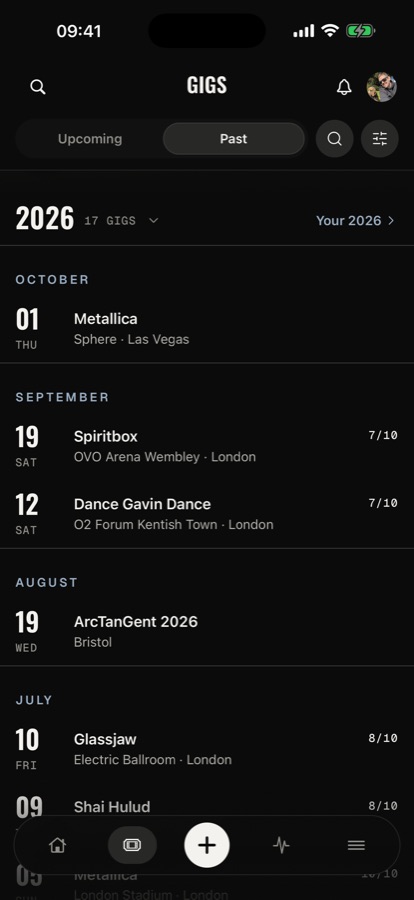
Add every gig Rate it Relive it
Seconds
First, scan your ticket, paper or a screenshot. gigstr reads the artist, venue and date.
On the night
Then rate it out of 10: the performance, the sound, even the bar prices and the queues.
For years
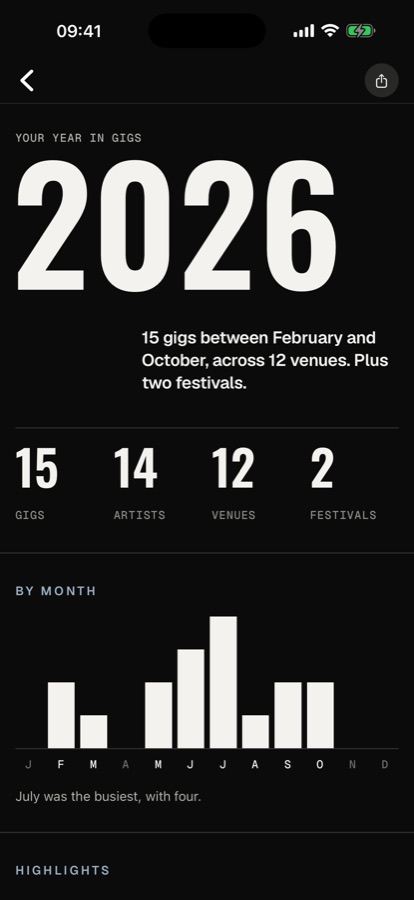
After that it's yours: the setlist, your photos and clips, and your whole year as a report you can share.
The app
Every night has its programme
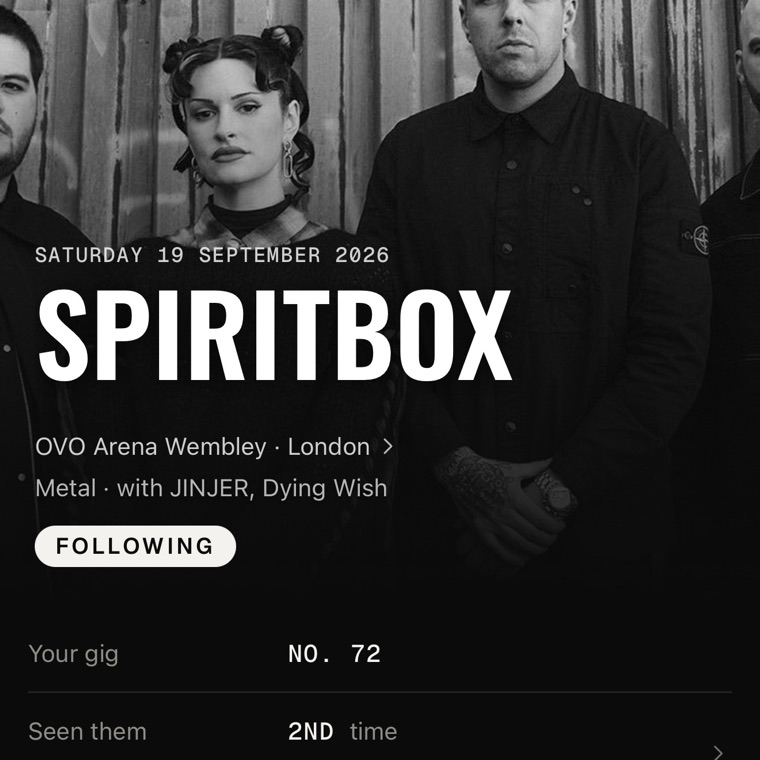
The date, the venue, the support acts and how the crowd rated it, set like the programme you'd buy on the night. And its number: this was gig No. 72.
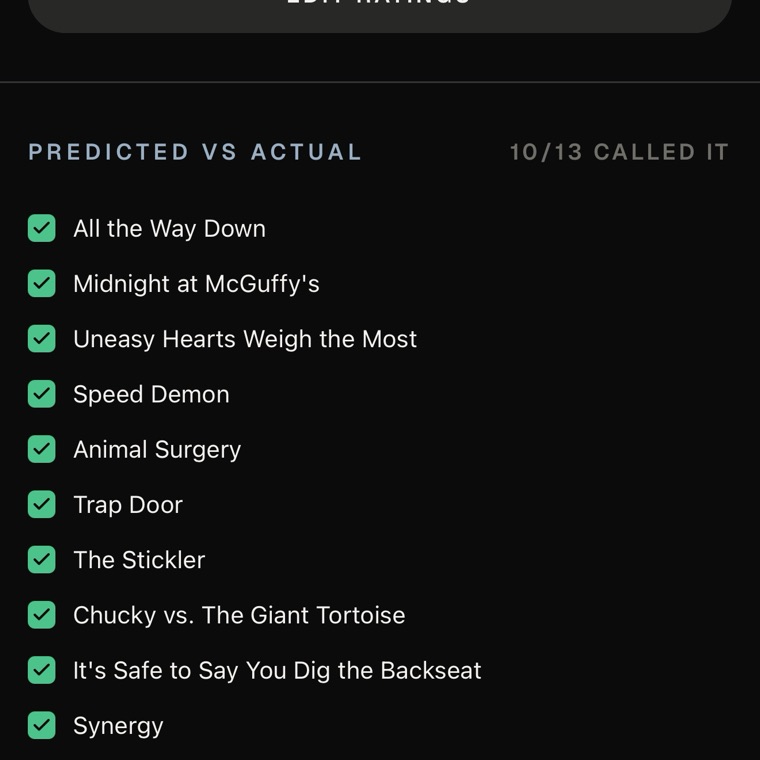
Call the setlist. Then check it
Before the night, gigstr predicts what they'll play. After it, you see what they actually played, song by song: ten of thirteen, this time.
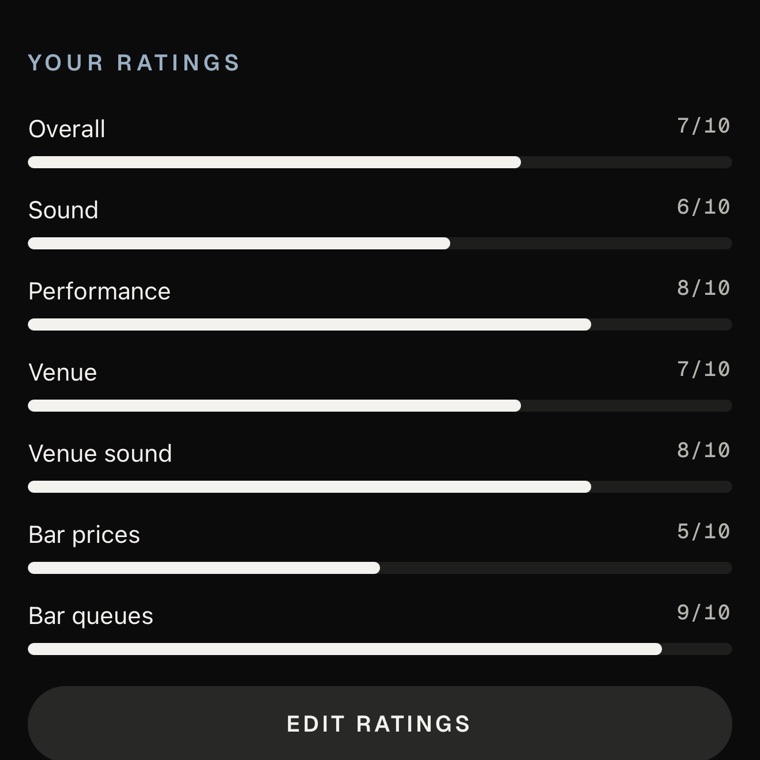
Rate the night out of 10
Overall, then the parts that made it: the performance, the sound, the venue, even the bar prices. Ratings out of 10, never stars.
Android · coming soon
Your stub
What was your last gig?
Spiritbox
OVO Arena Wembley, London
Every gig you add gets a stub like this, numbered.
Questions
Before you ask
Is gigstr free?
Yes. gigstr is free, with no limit on how many gigs you add, and nobody is ever shown ads to pay for it.
Is there an Android app?
It's on its way to Google Play. Until it lands, gigstr is on iPhone only.
Can I use it on a computer?
Your gigs live in the app: that's where you add them, rate them and relive them. At gigstrapp.com you can sign in to your account to change your password, sign out of your other devices or download your data.
Can I add gigs from years ago?
Yes. Bring them in all at once from a spreadsheet or setlist.fm, search the artist and pick the night from their past dates, scan an old ticket, or add it by hand if gigstr doesn't know the gig.
Who can see my gigs?
Your profile, the gigs you've added and your photos on them are visible to other people signed in to gigstr. In Profile in the app you can keep them to your buddies, or to only you. You can also turn on a page of your gigs, your ratings and who you've seen most for anyone with its link, and it stays off until you do. Reviews you write are private by default, and your home location is never shown to anyone. The privacy policy has the detail.
How do I delete my account?
In the app, go to Profile and choose Delete account. It removes everything, everywhere, and it can't be undone. No longer have the app? Email support@gigstrapp.com.
Who makes gigstr?
One person in the UK who has been going to gigs their whole life. Email support@gigstrapp.com and you'll be talking to the person who can fix it.
Get gigstr
Start with your last gig
Android · coming soon